
In Linux, you can use the find command along with the ls and sort commands to find and sort files based on their date and time.
When you’re dealing with web hosting, you often have limited access to the command line compared to a full Linux system.
However, many web hosting platforms provide a web-based file manager that allows you to navigate through your files and perform basic operations.
The ability to find and sort files based on date and time may vary depending on the features provided by your hosting provider.
Here’s a basic example:
Table of Contents
Find and Sort Files by Modification Time:
find /path/to/search -type f -exec ls -l --time=modification {} + | sort -k 6,7The –time=creation option is used to show the creation time instead of modification time. Note that not all file systems support creation time, so this might not work on all systems.
Find and Sort Files by Access Time:
find /home/buyandhost/ -type f -exec ls -l --time=access {} + | sort -k 6,7
The –time=access option is used to show the access time instead of modification time.
You can customize the command according to your specific requirements.
The find command is powerful and allows you to filter files based on various criteria. The ls command with the –time option helps in displaying the relevant timestamp information, and sort is used to sort the output based on the specified columns.
Linux Utilities to Sort Files in Linux
Some basic Linux command line utilities that are just sufficient for sorting a directory based on Date and Time are:
ls command
ls – Listing contents of directory, this utility can list the files and directories and can even list all the status information about them including: date and time of modification or access, permissions, size, owner, group etc.
sort command
sort – This command can be used to sort the output of any search just by any field or any particular column of the field.
Sort Files using Date and Time
Below are the list of commands to sort based on Date and Time.
1. List Files Based on Modification Time
The below command lists files in long listing format, and sorts files based on modification time, newest first. To sort in reverse order, use '-r' switch with this command.
ls -lt
2. List Files Based on Last Access Time
Listing of files in directory based on last access time, i.e. based on time the file was last accessed, not modified.
ls -ltu
3. List Files Based on Last Modification Time
Listing of files in directory based on last modification time of file’s status information, or the 'ctime'.
This command would list that file first whose any status information like: owner, group, permissions, size etc has been recently changed.
ls -ltc
4. Sorting Files based on Month
Here, we use find command to find all files in root (‘/’) directory and then print the result as: Month in which file was accessed and then filename. Of that complete result, here we list out top 11 entries.
find / -type f -printf "\n%Ab %p" | head -n 11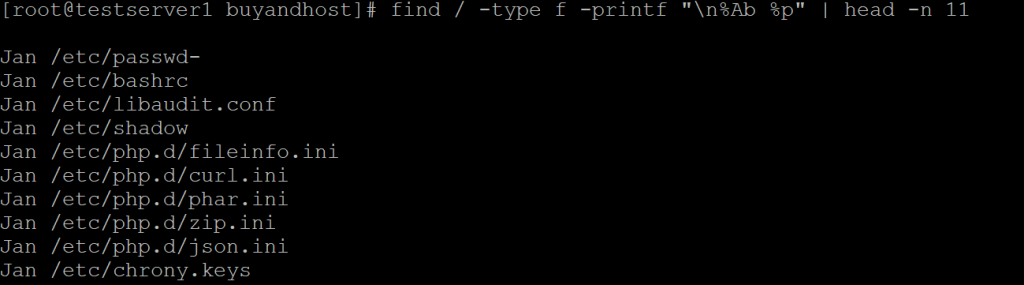
The below command sorts the output using key as first field, specified by '-k1' and then it sorts on Month as specified by 'M' ahead of it.
find / -type f -printf "\n%Ab %p" | head -n 11 | sort -k1M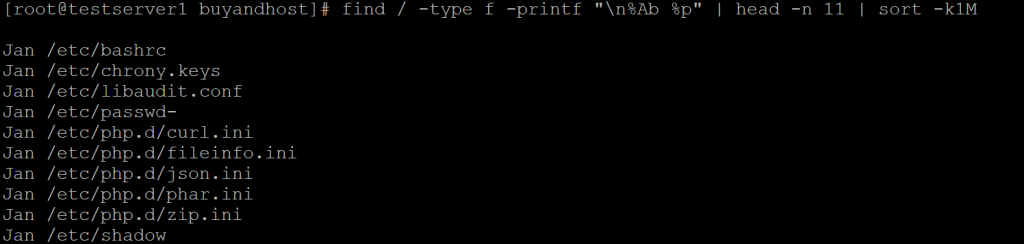
5. Sort Files Based on Date
Here, again we use find command to find all the files in root directory, but now we will print the result as: last date the file was accessed, last time the file was accessed and then filename. Of that we take out top 11 entries.
find / -type f -printf "\n%AD %AT %p" | head -n 11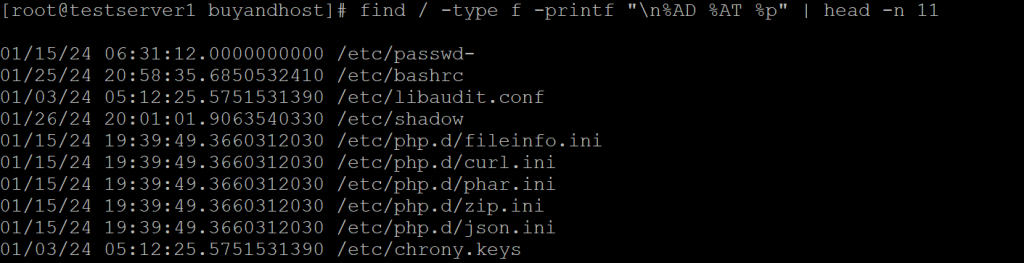
6. Sorting Files Based on Time
Here, again we use find command to list out top 11 files in root directory and print the result in format: last time file was accessed and then filename.
find / -type f -printf "\n%AT %p" | head -n 11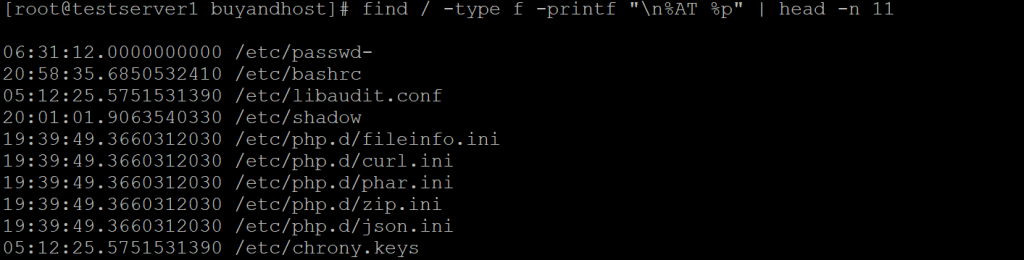
The below command sorts the output based on first column of the first field of the output which is first digit of hour.
find / -type f -printf "\n%AT %p" | head -n 11 | sort -k1.1n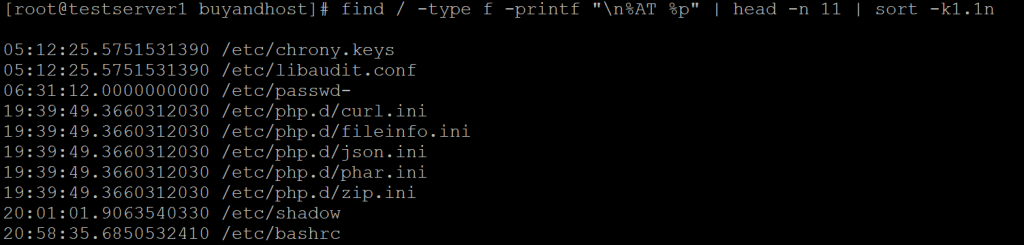
7. Sorting Ouptut of ls -l based on Date
This command sorts the output of 'ls -l' command based on 6th field month wise, then based on 7th field which is date, numerically.
ls -l | sort -k6M -k7n
We hope you’ve found this useful


